How does it work?
This text will help you understand the sequence of main actions without which cooperation with VESTIA VAULT will not be complete.
Our experts have prepared step-by-step instructions. Simple and understandable educational material will suit you even if you have never been familiar with such online platforms.
Everyone will figure it out, because the information is carefully thought out and presented using visualized images.
You will find answers to all the main questions.
Register
Step 1
Start registration
How to join the VESTIA VAULT platform?
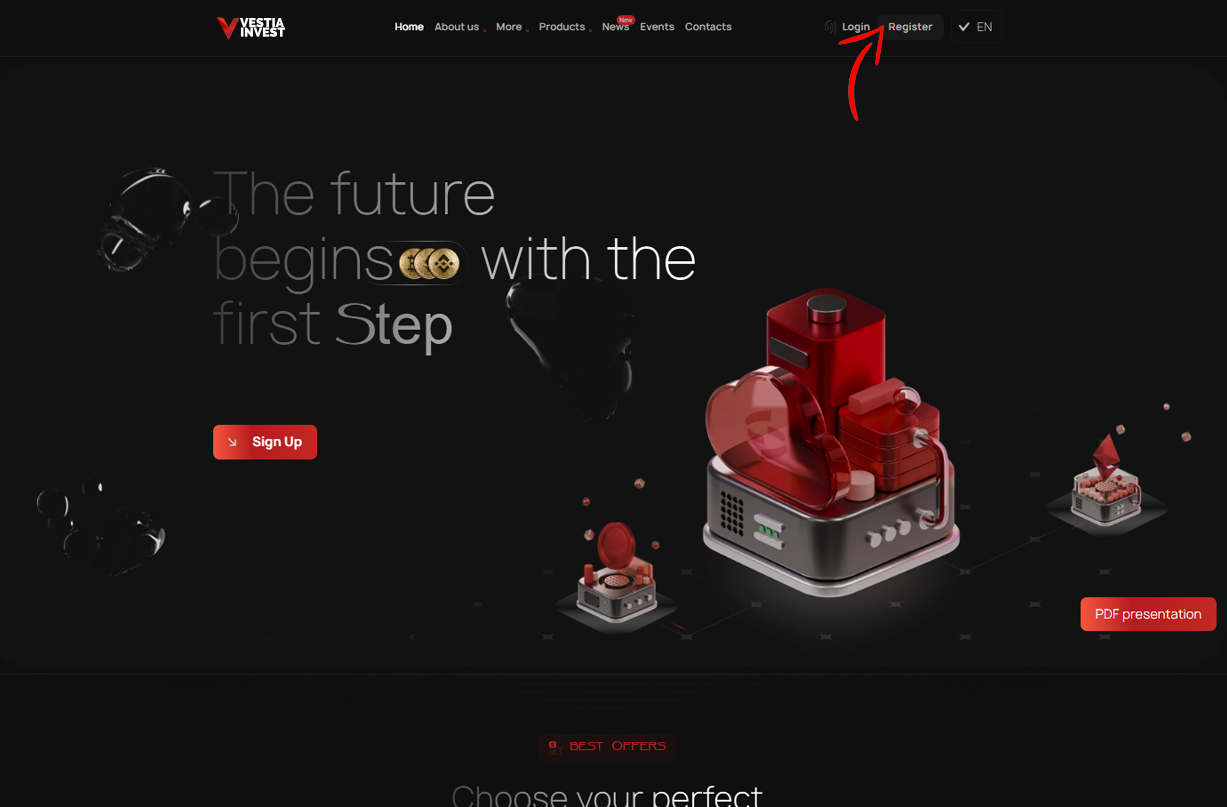
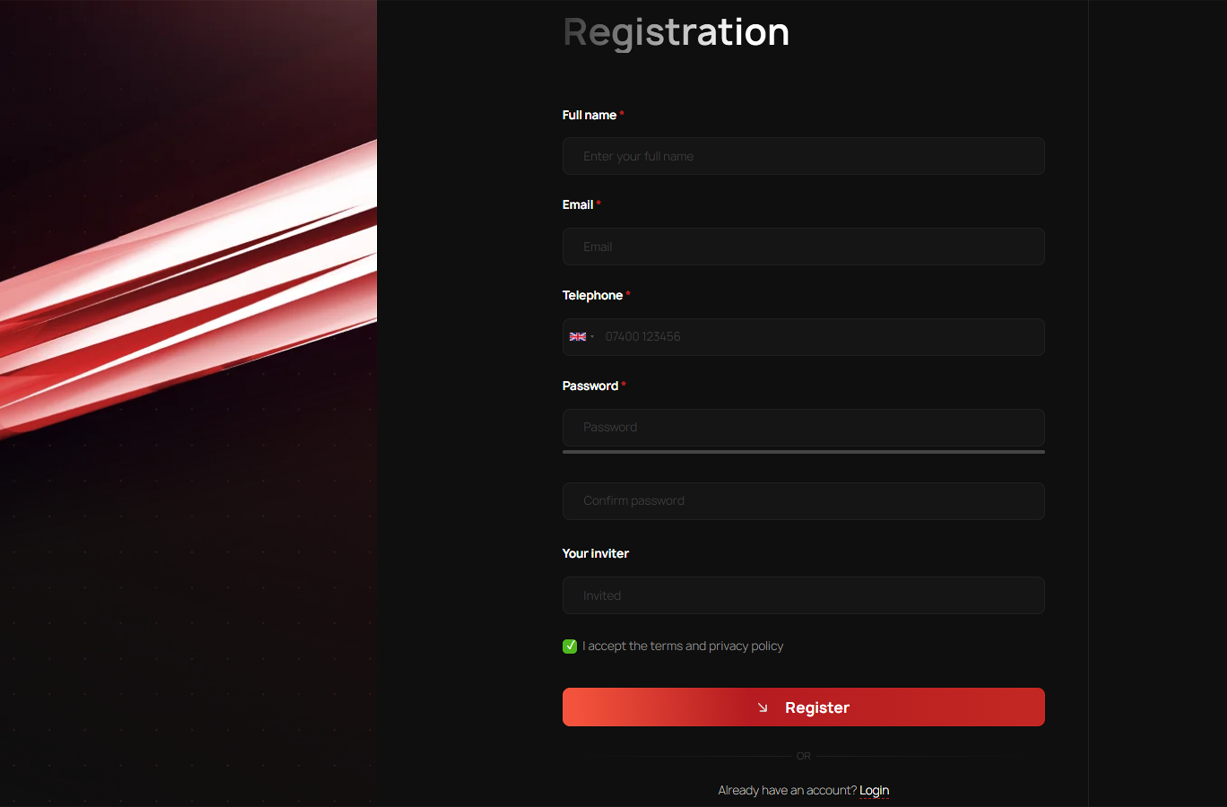
Go to the main page of the site. In the upper right corner there is a "Registration" button. It opens the registration window.
Step 2
Fill in all fields
In the window that appears, you need to fill in each empty line. Enter your data carefully, they will be useful in further work with the company.
Enter only the email you have access to. Please note that the username contains only letters and numbers.
Create a deposit
Step 1
Start participation
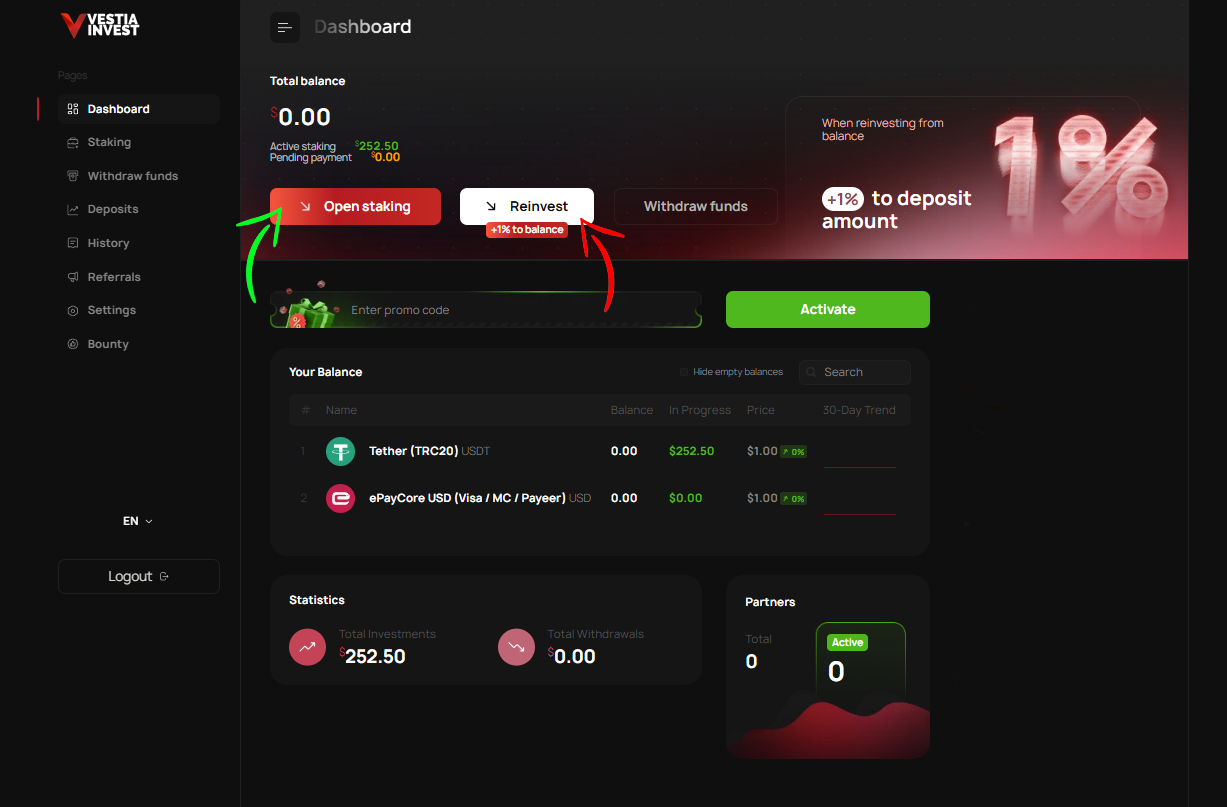
To create participation, you need to log into your personal account. After logging in, in the "Dashboard" menu, you will be offered options:
- Create participation from a payment system with the "Start participation" button, or
- continue participation from the account balance using the "continue participation" button.
Also, the "Start participation" button is in the "Operations" section.
Here a page for opening a deposit will open in front of you.
Step 2
Choose a plan
First, decide on a plan for participation. Then the method of creating a deposit - from the balance, or from a payment system.
When creating participation from the balance, +1% is added to the deposit.
When creating participation from an EPS, select the desired payment system and specify the deposit amount.
Confirm the creation of participation with the "Start participation" button.
Step 3
Make a transaction
If you are participating in cryptocurrency, after clicking the button you will see a window with the data entered in it. And an electronic wallet number. Check the entered data carefully. Copy the wallet address if everything is correct. Then go to your wallet and transfer the amount specified in the application.
After successful payment, return to the VESTIA VAULT page. The operation status will change and appear on your balance.
Step 4
Wait for operation activation
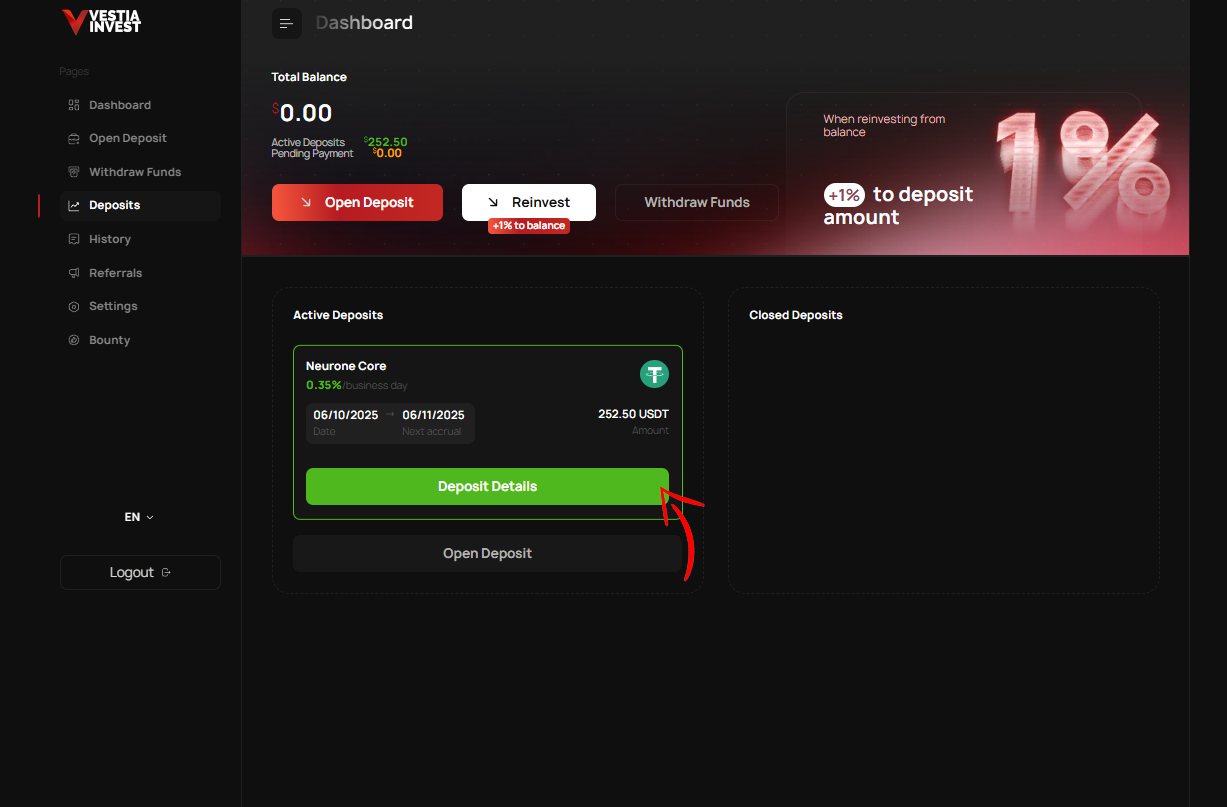
Your operation will open automatically after the VESTIA VAULT platform receives your money. The time for crediting rewards depends on the blockchain load. The average crediting time ranges from one minute to several hours.
You can check your operations in your personal account, in the "Operations" tab.
Withdraw funds
Step 1
Withdraw profit
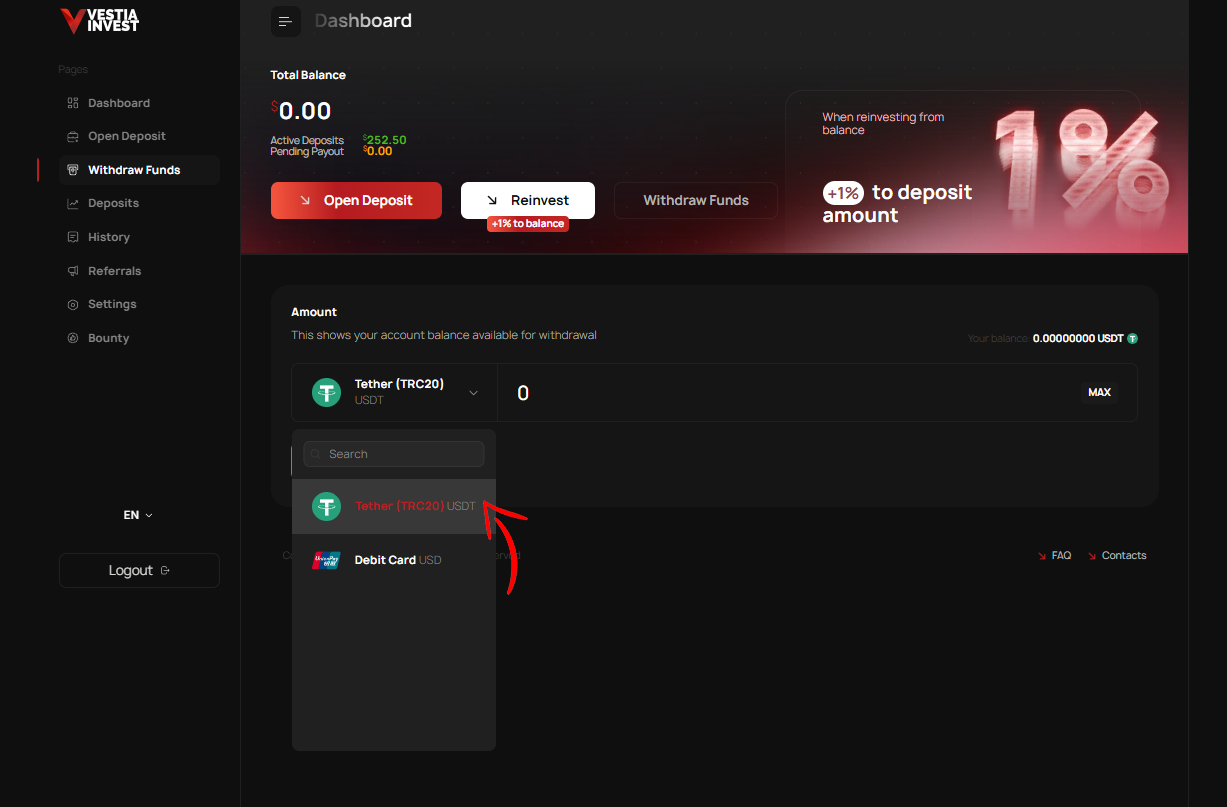
To withdraw money to the balance of your cryptocurrency wallet, in your personal account, in the menu on the left, click "Withdrawal".
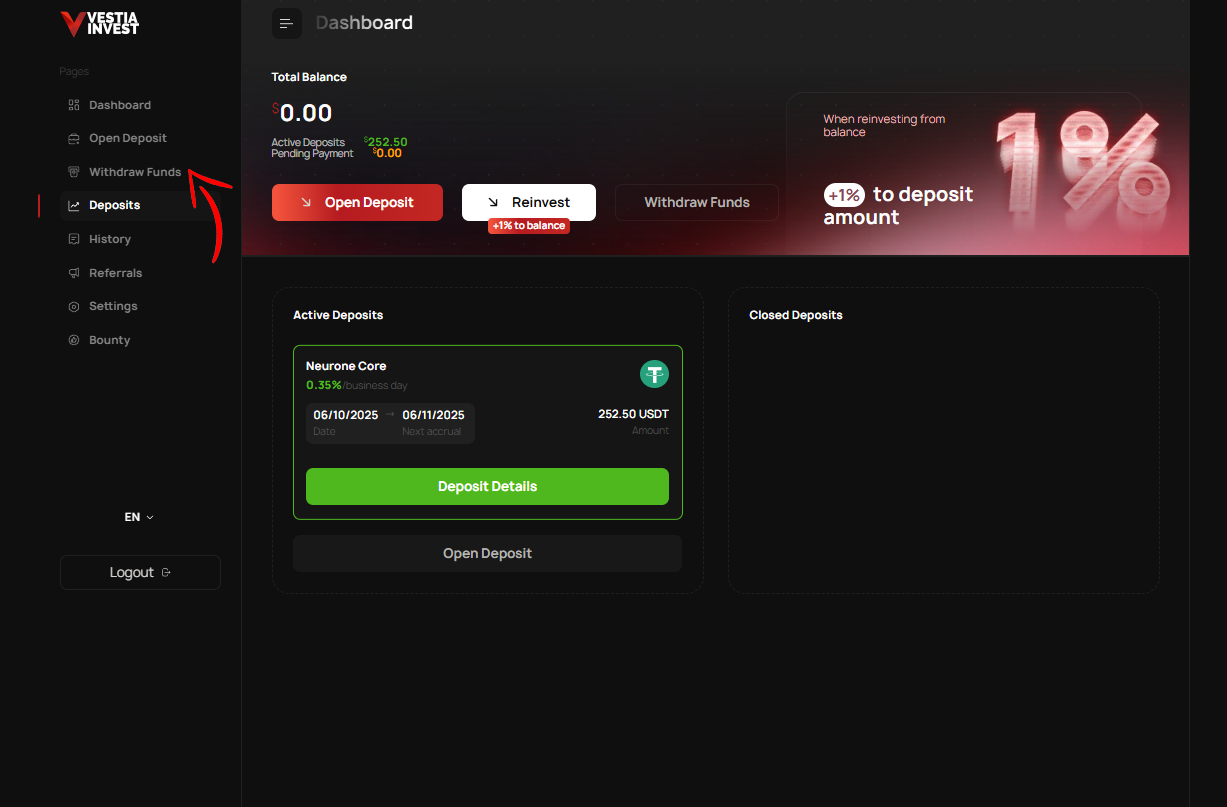
Also, the "Withdraw funds" button is in the main menu.
Step 2
Choose a convenient method
Check the available balance for the selected payment system. Then you need to select the EPS, specify the amount you want to withdraw, and click the "Withdrawal" button.
Withdrawals are processed manually, up to 72 hours.